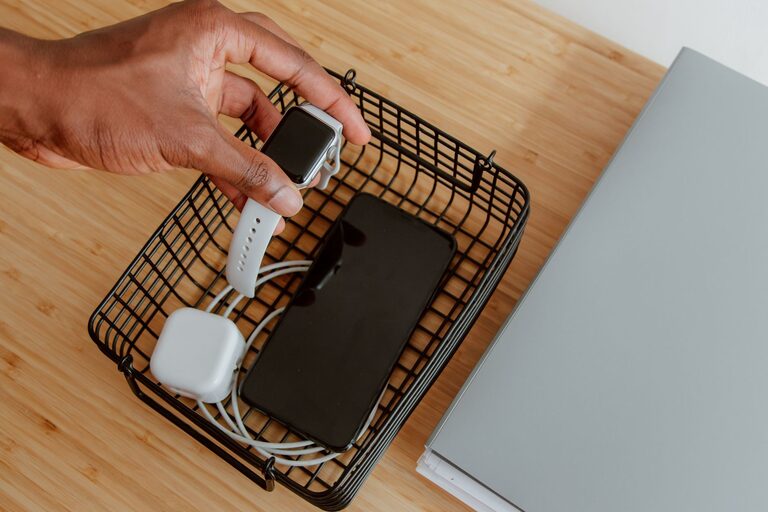
Setting up a dedicated charging station for your devices can save time, reduce clutter, and keep your gadgets powered up and ready to go. Whether you have smartphones, tablets, laptops, smartwatches, or wireless earbuds, keeping all your chargers and cables in one organized spot makes daily charging hassle-free.
In this guide, you’ll learn how to create a functional and safe charging station at home. We’ll cover the best location, essential equipment, cable management tips, and safety considerations.
Why Set Up a Charging Station?
With multiple devices requiring power, the cables and adapters can quickly become a tangled mess. A charging station offers several benefits:
– Keeps cables and devices organized
– Minimizes clutter on desks or countertops
– Prevents lost or misplaced chargers
– Focuses charging in a single, easy-to-access location
– Reduces wear and tear by using proper holders and cable management
Choosing the Right Location
The first step is selecting a suitable spot for your charging station. Consider these factors:
– Central and Accessible: Place the station where you or family members often gather, such as a kitchen counter, living room side table, or home office desk.
– Near Power Sources: Make sure there is an outlet nearby to plug in your charging devices without stretching cables dangerously.
– Ventilated Area: Devices can generate heat while charging, so a well-ventilated spot helps keep things cool.
– Stable Surface: Use a sturdy table, shelf, or designated charging dock to keep devices safely in place.
Essential Equipment and Supplies
To get started, gather the right tools and accessories:
– Multi-Port USB Charger: A charger with multiple USB ports reduces the number of wall adapters and saves space.
– Charging Cables: Have extra USB, USB-C, Lightning, or other cables matching your devices.
– Charging Dock or Stand: These keep devices upright and prevent them from sliding around.
– Cable Organizers: Use clips, ties, or cable boxes to keep wires neat and untangled.
– Power Strip with Surge Protection: Provides extra outlets and protects devices from electrical spikes.
– Labeling Supplies: Stickers or tags can help identify cables, especially in a family setting.
Step-by-Step Setup Guide
1. Clear and Clean the Area
Start by clearing the chosen surface and wiping it down. This will give you a fresh space to work with and help avoid dust or debris interfering with device ports.
2. Arrange Your Equipment
Place the power strip near the back or side of the surface. Plug the multi-port USB charger into the power strip. Organize your charging dock or stands where devices will rest comfortably.
3. Manage Cables
Attach cable organizers along the edge or underside of the surface to guide cables neatly. Keep cables untangled and long enough to reach devices without stretching.
4. Connect and Label
Plug in the charging cables into the USB ports. If you have multiple cables, label each to match its device (e.g., “Phone,” “Tablet,” “Watch”). This makes finding the right cable faster.
5. Test the Setup
Place devices on the charging stands or docks and check that all are charging properly. Adjust cable lengths and positions if needed.
Tips for Maintaining Your Charging Station
– Regularly Declutter: Remove unused cables or devices to keep the area tidy.
– Check for Wear: Inspect cables and chargers periodically to replace any damaged items.
– Avoid Overloading: Don’t exceed the recommended power output of chargers to prevent overheating.
– Use Fast Chargers Wisely: Some devices support fast charging; use compatible chargers when possible.
– Keep It Safe: Avoid placing liquids near the station and ensure cords are out of walkways to prevent tripping.
Creative Ideas for Different Spaces
– Desk Charging Station: Incorporate a charging drawer or built-in USB ports in your desk for a clean look.
– Wall-Mounted Station: Use mounted shelves or organizers near an outlet for quick charging without taking up surface space.
– Portable Charging Station: Build a tray or box with a power strip and cables that can be moved between rooms.
Conclusion
Creating a charging station is a simple project that can make a big difference in your daily routine. With a bit of planning and the right supplies, you can enjoy a clutter-free space where all your devices stay powered and organized. Whether you prefer sleek docks or a more DIY approach, this setup will keep you connected and ready for whatever comes next.
Set aside some time this weekend to build your charging station and experience the convenience it brings!
About the Author